Showing posts with label pcs. Show all posts

Tuesday, December 13, 2011

AIRTEL 3G TRICKS FOR PC 2012 - 2013 tips n tricks

AIRTEL 3G TRICK FOR PC 2012 - 2013 tips n tricks
In this trick i am going to share how to use airtel 3g for free in pc.
The credit goes to my friend Raj Kumar from Karnataka.
He said that it gives more than 2 mbps for downloading.
So how to connect
1.Use Mobile office setting.[APN:airtelgprs.com]
2.Open Firefox. -


Click On Tools -Select Option From Drop Down Menu -Click On
Advance on the top menu of the popup box -Select Network tab.
-Click on Setting -Click On Manual Proxy Config.
Edit Following settings
- HTTP:66.116.196.251
PORT: 80
3.Now quit fierfox and again open it.Now in url tab
enter this

http://0.facebook.com/cgi-bin/cgiproxy/nph-proxy.pl/o10000/http/google.com

And press enter .
Now you hav done.
TRICK FOR IDM
1.Open IDM 2.Click on
Downloads on top nav.bar

2.Select Option From Drop Down Menu

3 Click On proxy tab.
4.Add Following proxy and Port
- HTTP: 66.116.196.251
PORT: 80

Thank you

Paper Presentation on ANDROID TECHNOLOGY


ABSTRACT
                 The unveiling of the Android platform on was announced with the founding of the Open Handset Alliance, a consortium of 48 hardware, software, and telecom companies devoted to advancing open standards for mobile devices. Google has made most of the Android platform available under the Apache free-software and open source license.


           Android is a freely downloadable open source software stack for mobile devices that includes an operating system, middleware and key applications based on Linux and Java.
           Google developed Android collaboratively as part of the Open Handset Alliance, a group of more than 30 mobile and technology companies working to open up the mobile handset environment. Android's development kit supports many of the standard packages used by Jetty, and so, due to that fact and Jetty's modularity and lightweight footprint, it was possible to port Jetty to it so that it will be able to run on the Android platform.

          This paper on Android deals with the history of the Android, the early prototypes, basic building blocks of an android application and the features of the android.

DOWNLOAD FULL PAPERS: CLICK HERE

Sunday, December 11, 2011

How to find your lost mobile phone - Its the correct way!!

Many of them face this problem daily because , crimes and thefts are going on increasing these days and we don't know when we will loose our phone...so today we are going to know how to find lost mobile phones.
I saw many articles on the web regarding how to find my lost mobile phone?? but all were trash!!! except some websites.. So i have decided to tell people the correct way of finding your lost mobile phone
First of all you must know what is 
IMEI No. and what is its significance?. IMEI Stands for International Mobile Equipment Identity. It is usually unique number, to identify GSM, WCDMA, and iDEN mobile phones, as well as some satellite phones.You can find your unique IMEI No. of you mobile by just typing*#06#.
Better note your IMEI No. , it will be very useful at the time when your mobile has been theft or lost.
Now coming to the second part. In case, when your mobile has been theft you must give a complaint to the
local police in your area or just send an instant email to them

Emails Addresses :
Chennai - cop@vsnl.net
Mumbai - complaints@mumbaipolice.org 
Hyderabad - http://www.hyderabadpolice.gov.in/Index-Files/AllPsIndex.htm
Bangalore - http://www.bcp.gov.in/english/trafficpolice/complaints/newcomplaint.asp

Example of Email: 

Your name:
Address:
Phone model:
Last used No:
Contact No:
E-mail for communication:
How you lost the phone:
Date of theft and losing phone:
IMEI No:

Other Method to find your lost mobile phone.

Just email to consumer court about your lost phone with the full details. I am damn sure that you will get your phone back and you will be enjoying. If you have any other alternative methods to find lost phones please let us know via comments section below.
Do you Like this story..?

comment on it below .

Sunday, December 4, 2011

HOW TO FILL UP VARIOUS REGISTRATION FORMS AUTOMATICALLY AND EASILY IN ANY WEBSITE ?

A WONDERFUL TECHNIQUE TO FILL VARIOUS REGISTRATION FORMS IN VARIOUS WEBSITES, WHILE REGISTERING IN SITES


Those Who are Browsing Internet Regularly may face the problem of Filling Register Forms when they visit different websites like singing up in Google,Yahoo,Orkut,Facebook,Twitter ...... . You May have to fill First Name, Last Name,Date of Birth,Country like that many have to fill with Patience,

>So I am suggesting You, Don't waste the Time Of Filling Such Forms manually,
>I found a good Software which fill up those forms automatically

"AI ROBO FORM" is a good Software in Filling Various Forms, it also Save your Passwords and fill it automatically with your permission

> After You Installing this Software , You Just Need to Fill up Your Details With You Identity from then it will automatically fills the Registration Forms when such site is opened

Here is the Software for you


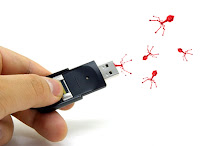
REMOVE VIRUSES FROM USB DRIVE EASILY & EFFECTIVELY

REMOVE VIRUS FROM PENDRIVE VERY EFFECTIVELY:-


There are some common virus that can spread and infect your computer through USB drives. These viruses include ‘Ravmon‘, ‘New Folder.exe‘, ‘Orkut is banned‘ and some other common viruses. Most antivirus either do not detect these viruses or do not remove them (just quarantine them).

Here are the things to do if you want to remove these virus from your USB and want to have a virus free flashdisk. 

- When you connect USB with your computer, you will get a window asking you what to do. Choose ‘Cancel‘ here.
- Open command prompt by typing ‘cmd‘ in Run box (from Start > Run OR press WIN+R). In the command prompt, write ‘drive letter:‘ and press Enter (let us say your USB is E so you will write E:).
- Now type ‘dir /w/a‘ and press Enter.
- This will display a list of files in your flash drive, check if these files are there or not 

Autorun.inf
Ravmon.exe
New Folder.exe
svchost.exe
Heap41a
or any other exe file which may be suspicious.

- If any of the above file is there, that means USB is infected by viruses.
- Type ‘attrib -r -a -s -h *.*‘ in command prompt and press Enter. This will remove the Read Only, Archive, System and hidden file attribute from all the files.
- Now just delete the files using the command ‘del filename‘ (forexample, to delete a file with name abc.exe I will use ‘del abc.exe‘).
- Your USB now does not have any suspicious file in it. To be on safe side you can now check it with any antivirus to see if it has any such file.
- Now remove the drive and plug it again. Most probably the real culprit turns out to be the “Autorun.inf” which mostly gets executed on pressing OK in the dialogue window (the one shown above). Thus the virus can spread.

Security Tip:-
Disable the Autoplay feature of USB drives so that there are almost no chance of virus spread. Tweak UI can do it for you, you can download Tweak UI software from here and install it. Run the program and disable the Autorun feature of USB drives as shown below.

There are some common virus that can spread and infect your computer through USB drives. These viruses include ‘Ravmon‘, ‘New Folder.exe‘, ‘Orkut is banned‘ and some other common viruses. Most antivirus either do not detect these viruses or do not remove them (just quarantine them).

HOW TO CHANGE IP ADDRESS IN LESS THEN 1 MINUTE :youthrocksz trick

How To: Change Your Ip In Less Then 1 Minute


1. Click on "Start" in the bottom left hand corner of screen
2. Click on "Run" ( or simply Press Win+R on keyboard )
3. Type in "command" and hit ok

You should now be at an MSDOS prompt screen.

4. Type "ipconfig /release" just like that, and hit "enter"
5. Type "exit" and leave the prompt
6. Right-click on "Network Places" or "My Network Places" on your desktop.
7. Click on "properties"

You should now be on a screen with something titled "Local Area Connection", or something close to that, and, if you have a network hooked up, all of your other networks.

8. Right click on "Local Area Connection" and click "properties"
9. Double-click on the "Internet Protocol (TCP/IP)" from the list under the "General" tab
10. Click on "Use the following IP address" under the "General" tab
11. Create an IP address (It doesn't matter what it is. I just type 1 and 2 until i fill the area up).
12. Press "Tab" and it should automatically fill in the "Subnet Mask" section with default numbers.
13. Hit the "Ok" button here
14. Hit the "Ok" button again

You should now be back to the "Local Area Connection" screen.

15. Right-click back on "Local Area Connection" and go to properties again.
16. Go back to the "TCP/IP" settings
17. This time, select "Obtain an IP address automatically"
tongue.gif 18. Hit "Ok"
19. Hit "Ok" again
20. You now have a new IP address

With a little practice, you can easily get this process down to 15 seconds.

NOTE:-
This only changes your dynamic IP address, not your ISP/IP address. If you plan on hacking a website with this trick be extremely careful, because if they try a little, they can trace it back

I think This Post May Help you in many ways, like if you want to download any files from file sharing websites like rapidshare,hotfile,megaupload by appling this trick you can download files as many as you want ( in this sites if you change IP address , they think you are a new user and provide download again )

HOW TO SPEED UP INTERNET CONNECTION ?


How to Speed up Internet Connection ?

The following tweak applies to Windows XP Professional edition,win vista,win 7

The default system behavior is that all 100% bandwidth is available, however, if there is a running application that indicates to the OS it needs to send high priority/real time data, then as long as it has the socket open,Windows XP and later versions will restrict “best effort” traffic to 80% of the bandwidth so that high priority traffic can be accommodated. Basically, applications can make this request to the operating system for QoS support using the QoS application programming interfaces (APIs) in Windows and this only applies if a specific app is requesting QoS. If you'd like to change how much bandwidth is reserved for QoS (the default is 20% of the total bandwidth), do the following:

1. Make sure you're logged in as "Administrator" (not just any account with admin privileges).
2. Navigate to START and Run ( or Type Win+R)and type gpedit.msc
3. Navigate to Local Computer Policy and Administrative Templates > Network and QOS Packet Scheduler
4. In the right window, double-click the limit reservable bandwidth setting
5. On the setting tab, check the enabled setting.
6. Where it says "Bandwidth limit %", change it to read 0 (or whatever percentage you want to reserve for high priority QoS data)
7. Click OK, close gpedit.msc

Under START > My Computer > My Network Connections > View Network Connections, right-click on your connection and under Properties (where it lists your protocols), make sure QOS Packet Scheduler is enabled.

The tweak desribed below helps boost priority for DNS & hostname resolution in general. What this means is, it helps web pages load faster, and has negligible effect on downloads (not counting the couple of ms gain with the host resolution at connect-time).

Applying this tweak assumes some proficiency in editing the Windows Registry using Regedit (Start > Run > type: regedit). As always, backup your Registry before making any changes so you can revert to the previous state if you don't like the results.

2nd method

follow the step:-

go to desktop->My computer-(right click on)->properties->then go HARDWARE tab->Device manager-> now u see a window of Device manager
then go to Ports->Communication Port(double click on it and Open).
after open u can see a Communication Port properties.
go the Port Setting:----
and now increase ur "Bits per second" to 128000.
and "Flow control" change 2 Hardware.

apply and see the result
and please comment me.........

Another method

Type this coding in notepad and save as .reg and then execute this file....this will increase ur surfing n downloading speed
----------------------------------------------------------------------------------------------------
REGEDIT4
[HKEY_LOCAL_MACHINE\SYSTEM\CurrentContro
lSet\Servic es\Tcpip\Parameters]
"SackOpts"=dword:00000001
"TcpWindowSize"=dword:0005ae4c
"Tcp1323Opts"=dword:00000003
"DefaultTTL"=dword:00000040
"EnablePMTUBHDetect"=dword:00000000
"EnablePMTUDiscovery"=dword:00000001
"GlobalMaxTcpWindowSize"=dword:0005ae4c

WHAT IS GOOGLE ANDROID? KNOW ABOUT IT HERE WELL FREE

Introduction:
Android is a Linux-based mobile phone operating system developed by Google. Android is unique because Google is actively developing the platform but giving it away for free to hardware manufacturers and phone carriers who want to use Android on their devices.


Beyond the Phone:
A modified version of Android is used in the Google TV, the Barnes & Noble Nook eReader, the Samsung Galaxy Tab, and countless other devices. Parrot makes both a digital photo frame and a car stereo systempowered by modified versions of Android.


Open Handset Alliance:
Google formed a group of hardware, software, and telecommunication companies called the Open Handset Alliance with the goal of contributing to Android development. Most members also have the goal of making money from Android, either by selling phones, phone service, or mobile applications.


Android Market:
Anyone can download the SDK (software development kit) and write applications for Android phones. Google doesn't screen developers or applications.
These apps can be downloaded from the Android Market. If the app costs money, you pay for it using Google Checkout. T-Mobile also has an agreement to allow their phone customers to purchase some apps and have the fee added to their monthly phone bill.

Some devices do not include support for the Android Market and may use an alternative market.
Service Providers:
The iPhone has been very popular for AT&T, but unless you void your warranty to unlock it, you can only use an iPhone with AT&T. Android is an open platform, so many carriers can potentially offer Android-powered phones. That doesn't mean individual carriers won't lock the specific phone they sell you to their service, but every major carrier in the US offers an Android phone. Android is currently the fastest growing phone platform in the world.


Data Plan:
To use Android on a phone, you need a data plan on top of your voice plan. You can't even activate an Android phone without a data plan enabled. Some networks in the US offered tiered data service, and some offerunlimited plans.


Google Services:
Because Google developed Android, it comes with a lot of Google services installed right out of the box. Gmail, Google Calendar, Google Maps, and Google Web search are all pre-installed, and Google is also the default Web page for the Web browser. However, because Android can be modified, carriers can choose to change this. Verizon Wireless, for instance, has modified some Android phones to use Bing as the default search engine.


Touchscreen:
Android supports a touch screen and is difficult to use without one. You can use a trackball for some navigation, but nearly everything is done through touch. Android also supports multi-touch gestures such as pinch-to-zoom in versions 2.1 (Eclair) and above.

Keyboard:
The initial release of Android required a separate keyboard. However, "Cupcake," (Android 1.5) and later editions have all supported an on-screen keyboard. That means you can use models like the Verizon Droid 2 that include a slide-out physical keyboard or the HTC EVO that rely entirely on the touch screen.

The Bottom Line:
Android is an exciting platform for consumers and developers. It is the philosophical opposite of the iPhone in many ways. Where the iPhone tries to create the best user experience by restricting hardware and software standards, Android tries to insure it by opening up as much of the operating system as possible.

This is both good and bad. Fragmented versions of Android may provide a unique user experience, but they also mean fewer users per variation. That means it's harder to support for app developers, accessory makers, and technology writers (ahem). Because each Android upgrade must be modified for the specific hardware and user interface upgrades of each device, that also means it takes longer for modified Android phones to receive updates.
Fragmentation issues aside, Android is a robust platform that boasts some of the fastest and most amazing phones and tablets on the market.

Open Cbox

DISCLAIMER

DISCLAIMER: WE does not own any images.,stories,words,videos or content on this webpage. This blog contains only embeded content available in internet. YOUTHROCKSZ is not responsible for any of the content hosted on this page. If you feel that any of the content on this website is copyrighted, then let we know and we will delete the content from the blog.mail us at : YOUTHROCKSZ@AOL.IN
 
Twitter Bird Gadget